Overview
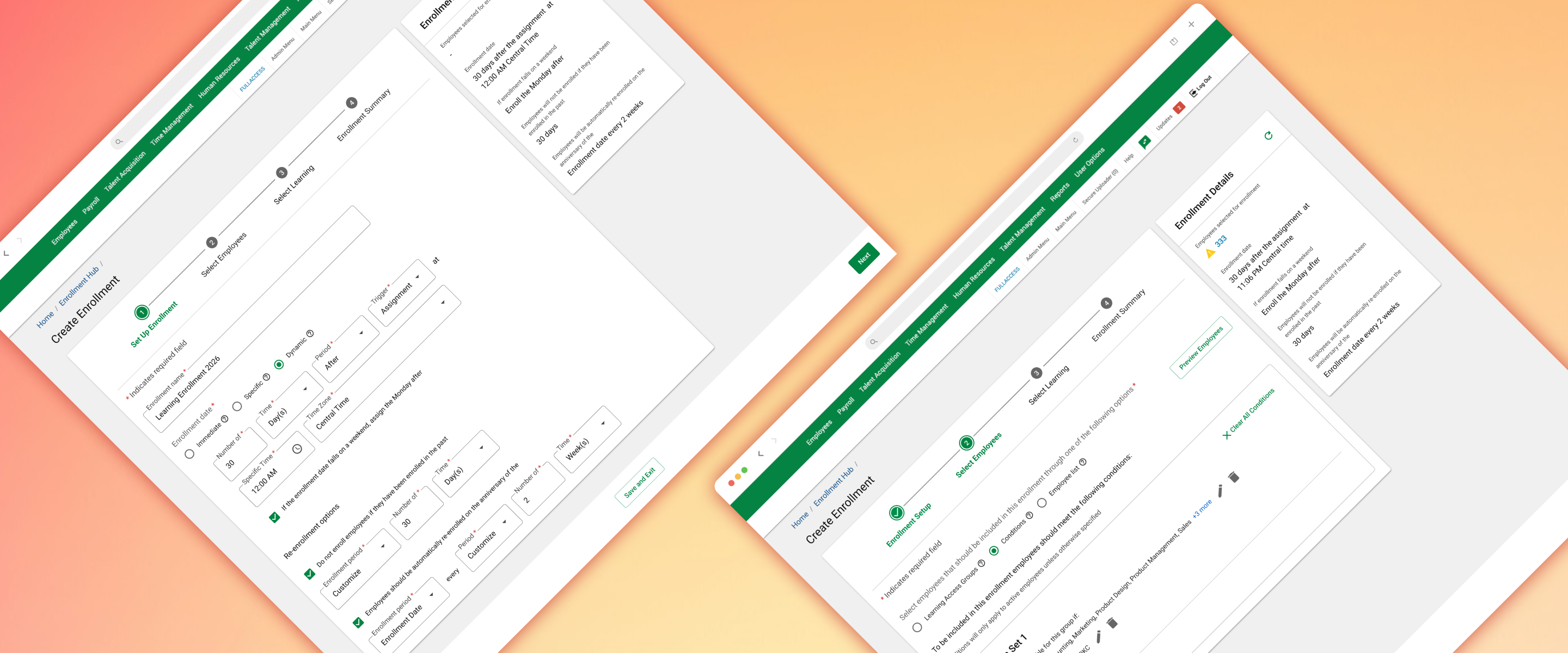
The Enrollment Hub is a centralized SaaS solution designed to revolutionize how HR specialists manage large-scale workforce development. By unifying fragmented workflows into a single interface, we empowered administrators to assign complex learning paths and instructor-led training (ILT) to thousands of employees simultaneously.
  • Company
    Paycom
  • My Role
    Product Designer
  • Timeline
    10 Weeks
Problem
Prior to the Enrollment Hub, learning specialists were forced to navigate multiple disparate Paycom products to complete a single assignment cycle.
Administrators had to enroll employees individually, content-by-content.
Constant "back-and-forth" between modules led to data fatigue and increased risk of error.
The existing system struggled to handle the "enormous" volume of learners required for enterprise-level training.
Goal
To eliminate workflow fragmentation and drastically reduce administrative overhead by creating a high-capacity, intuitive single platform for all enrollment activities.
Our Users
Our primary users—Learning Specialists and HR Administrators—are power users who manage hundreds of courses and thousands of learners daily. They require tools that prioritize bulk actions, conditional logic (enrolling based on specific employee criteria), and high-density data management.
Design Process
I started this project after being selected to be responsible for the final solution for the Enrollment Hub tool.
I managed the experience design process end to end.
1
Discovery & Architecture
Weeks 1 - 2
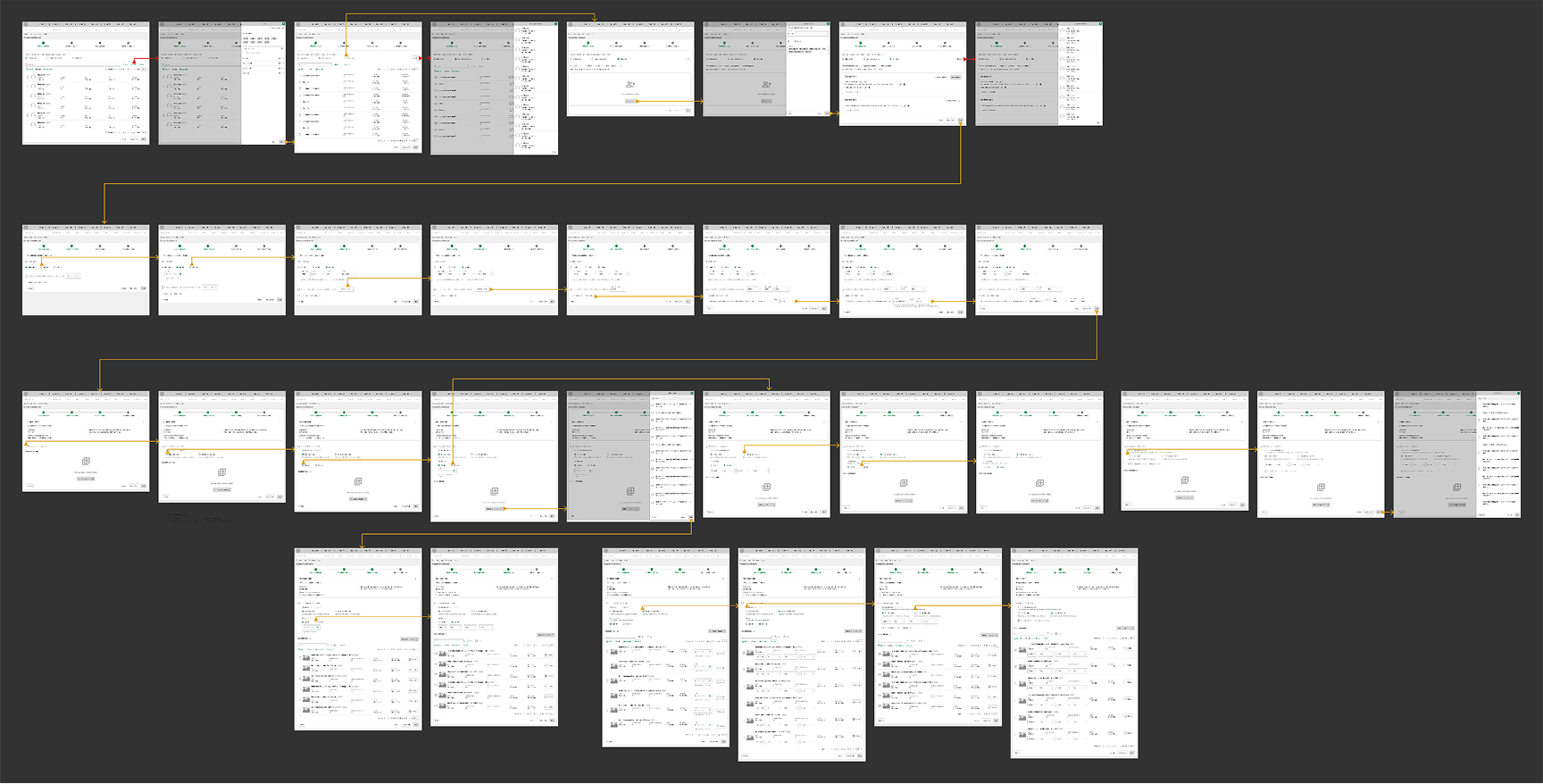
The project began with a cross-functional kickoff to define scope, acceptance criteria, use cases, timeline, related projects, design tickets, problem statements, and technical constraints.
  • Analysis: Analyzed documentation to build the initial Information Architecture (IA).
  • Research: Conducted competitive research and leveraged internal product knowledge to bridge information gaps.
  • Refinement: Iterated on the Information Architecture through ongoing communication with Product Champions and developers to ensure functional alignment, using various channels such as Teams chat, email, Zoom meetings, and in-person conversations.
2
Ideation & Low-Fidelity Design
Week 3
With the core flows mapped, the focus shifted to visualizing the solution.
  • Wireframing: Created low-fidelity versions to align the team on the user journey.
  • Technical Alignment: Used these drafts to identify development roadblocks and component limitations early in the process.
3
Usability Testing & Prototyping
Weeks 4 - 8
A data-driven approach was used to validate the "red route" (critical user path).
  • User Research: In collaboration with the research team, we defined use cases, and I led usability sessions with five subject matter experts (SMEs).
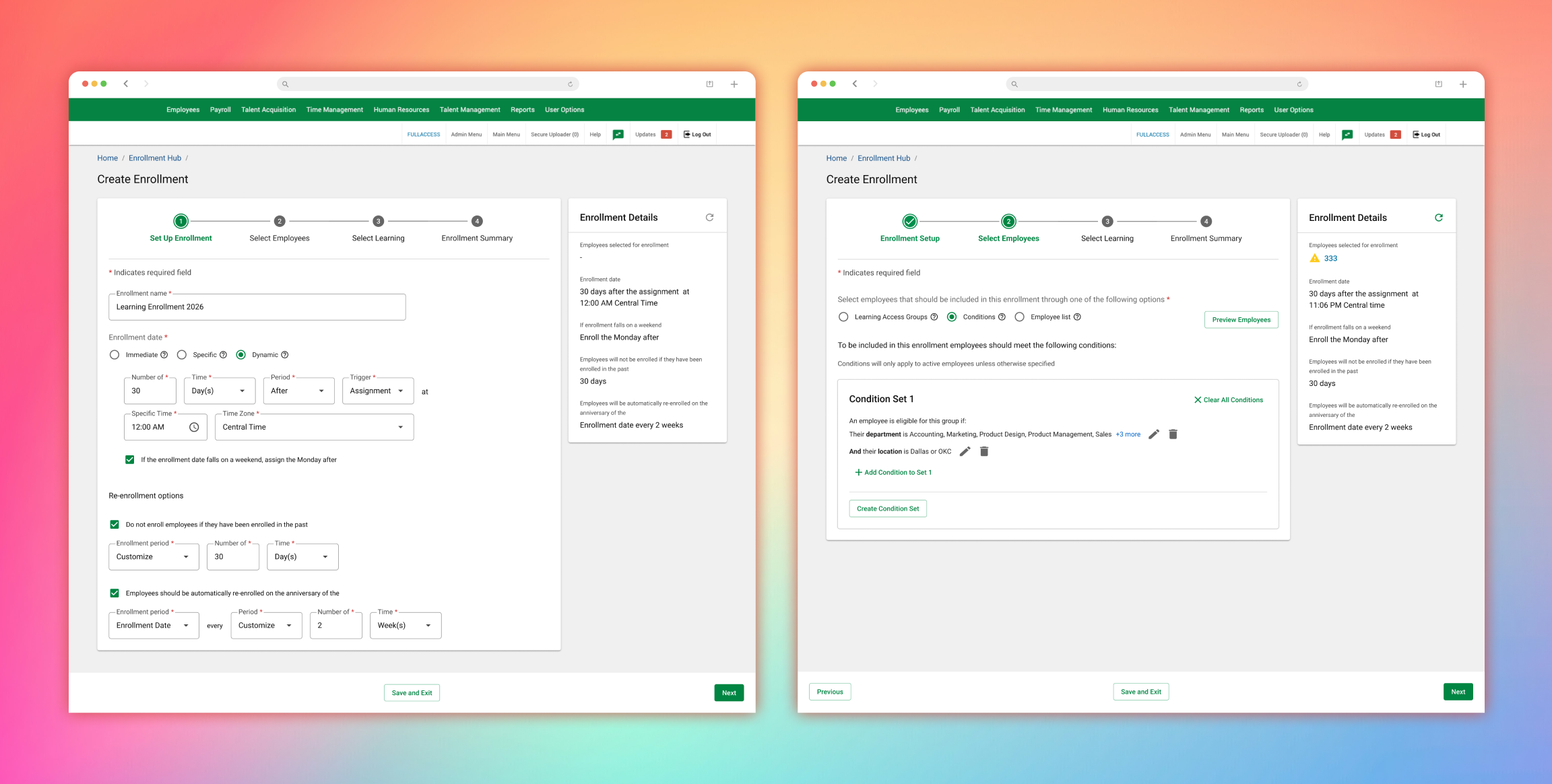
  • Iteration: In step 3 of the process, friction points were identified in the date configuration logic.
  • Validation: Developed targeted prototypes and conducted three additional tests to refine the specific pain points discovered.
4
High-Fidelity Design & Handoff
Weeks 9 - 10
The final phase focused on polish and technical execution.
  • UI Design: Applied the company design system to create high-fidelity mockups.
  • Design QA: Managed the construction phase by collaborating closely with developers.
  • Documentation: Created a dedicated Design QA document in Confluence to track and resolve visual and experiential "pain points" before launch.
Key Deliverables
I suggested adding the ability to create groups of employees based on various conditions, using the same process we developed in the previous Learning Access Groups project.
I gathered solid analytics from user feedback sessions with subject matter experts to determine the actual value of the element we called "early summary," since I was initially unsure whether users were genuinely interested in it for their process.
Key Learnings
Constant communication is essential for a product's success.
Ask questions without fear; there are no silly questions.
Negotiate the best solution, always in the user's interest.
Final Impact and Results
The launch of the Enrollment Hub transformed the administrative experience at Paycom:
60% Reduction
in Task Time
High User
Sentiment
Scalability
Users can now assign massive learner cohorts to multiple courses or ILTs in a fraction of the previous time.
Post-launch feedback was overwhelmingly positive, with users proactively requesting advanced integrations (Outlook/Calendar), signaling high product adoption and trust.
Successfully delivered a robust system capable of managing the bank’s most intensive enrollment periods without performance degradation.
More Projects